General settings
Your organisation's details, logo, region, email sending, sign-in rules and storage. Every app reads these.
For admins
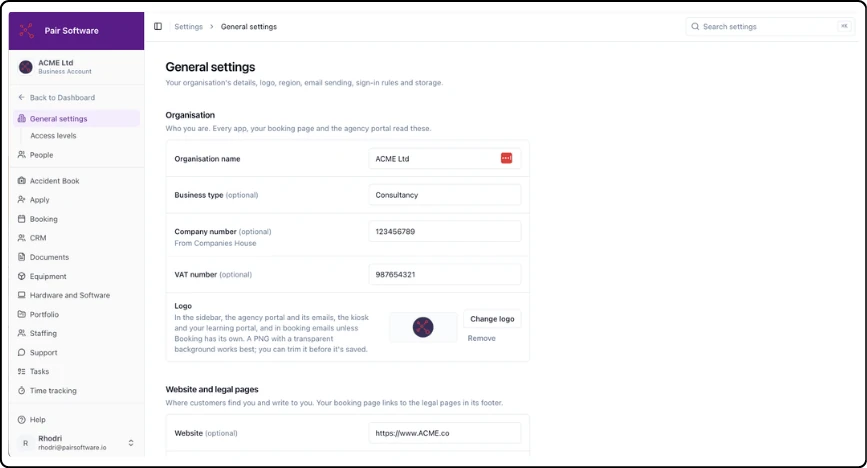
Organisation: Name, business type, company number and VAT number
Logo: Shown in the sidebar, the agency portal and its emails, the kiosk, your learning portal, and booking emails unless Booking has its own. A PNG with a transparent background works best
Website and legal pages: Website, support email, privacy policy and terms. Your booking page links to the legal pages
Region: Country, currency, default time zone and date format, in exports and PDFs too
Email sending: Send Pair's emails from your own domain, so people recognise them and fewer land in spam
Users and access: Require two-factor for everyone, and your access levels
Storage: Space used by learning platform files
Home dashboard: Quick links and notices, edited on the dashboard
Good to know:
If customers write to your support email, booking and refund emails tell them to write there. Without one, they show the mobile number on your system admin's account.
Your country is fixed by your Stripe account. To change it, email support@pairsoftware.io.
Email sending: enter a domain you own, choose the from address, then add the DNS records Pair lists at your domain provider. Emails switch to your address once the domain is verified.
Updated 2026-10-24